Code Runner: Anything is possible now
Create PPT, XLS, dashboard, edit a video in Alter


Samuel ROY & Olivier Legris
February 06, 2026
Hey everyone,
Last week, we gave Alter skills. This week, we're giving it a home.
Introducing Code Runner: the execution engine that makes anything possible.
Skills Meet Execution
Last week you learned what Agent Skills can do. This week, Code Runner shows you what they can become.
Code Runner gives those skills a place to run, persist, and scale. Together, they're unstoppable.
With Code Runner, your skills don't just execute once and disappear. They run in a persistent container on your machine. They can start servers that keep running. They can process massive datasets. They can collaborate with other AI agents. They can build things.
What You Can Do Now
Create dashboards – Real-time visualizations that stay running
Generate reports – Excel files, presentations, PDFs—automatically
Process video and media – Render, edit, analyze at scale
Run persistent servers – Web apps that keep working even when you're not using Alter
Analyze data – Pandas, NumPy, all the tools you need
Build mini-applications – Custom tools tailored exactly to your workflow
Collaborate with AI agents – Multiple agents working together in the same environment
Automate everything – Chain complex workflows with no limits
The world is your oyster. There is no limit in what you can do.
How It Works
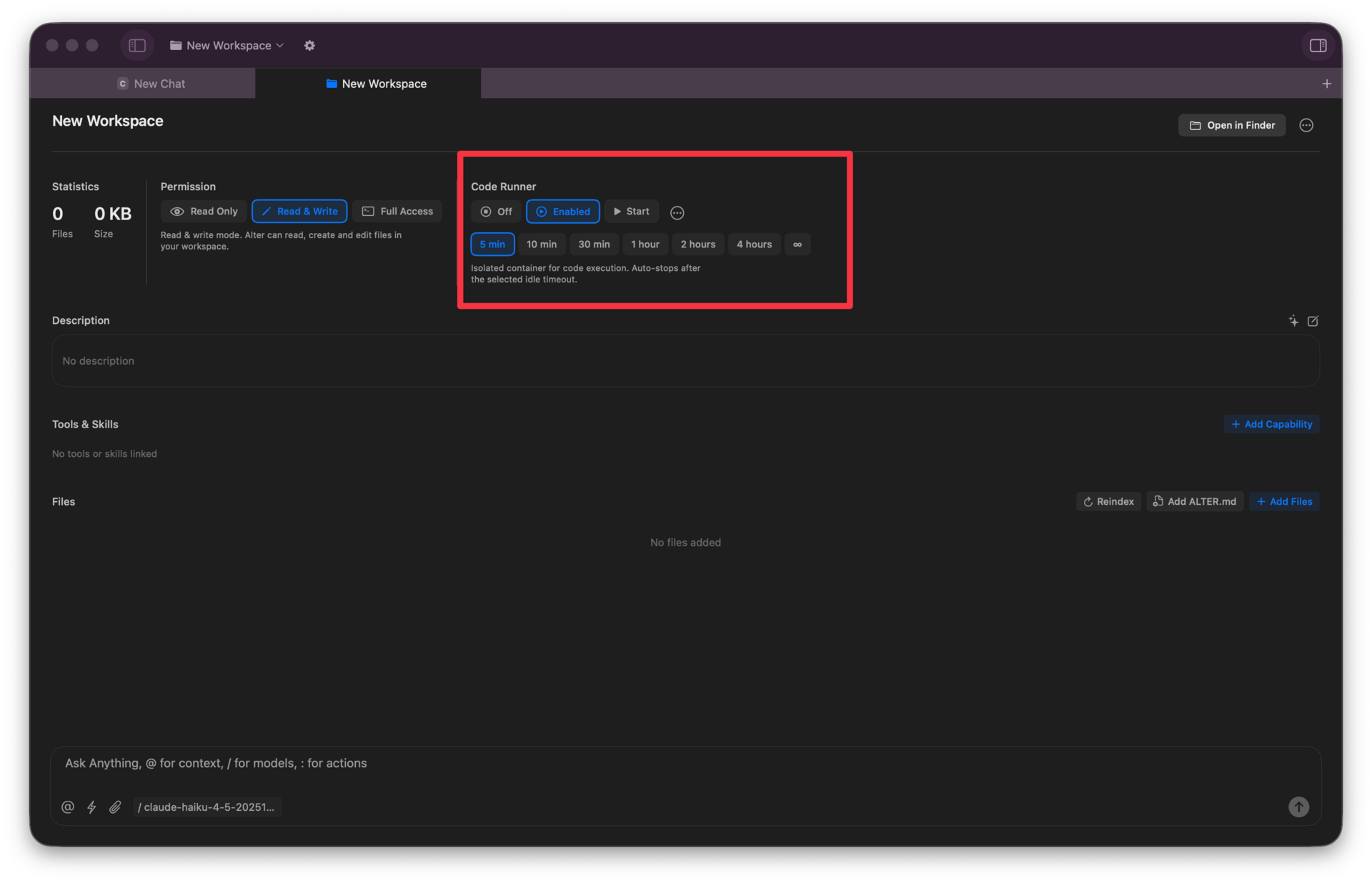
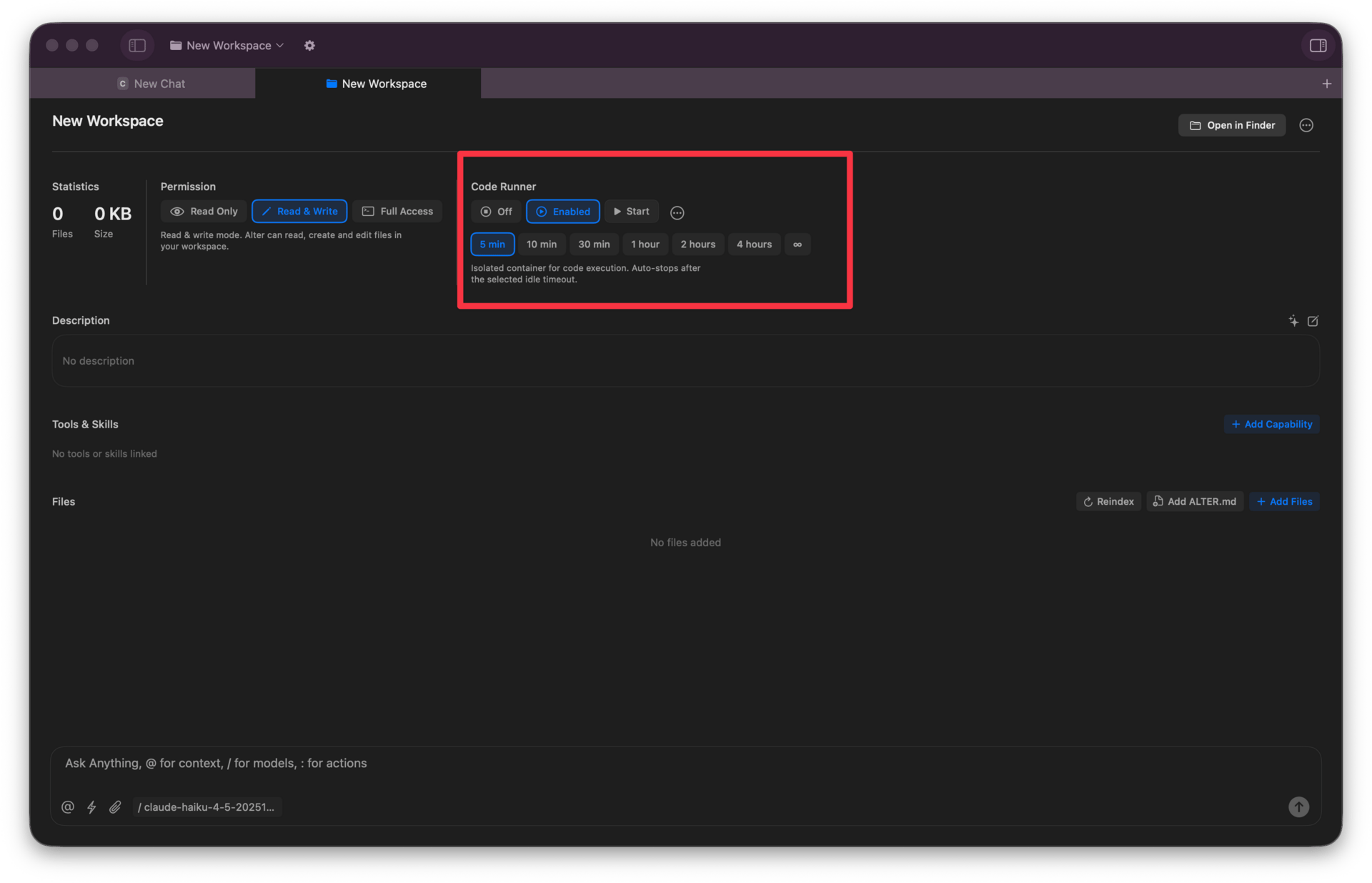
Open Tools Manager → Local tools → System and Automation → Code Runner
Click the plus icon
Install Apple Container (Apple's virtualization technology)
Start a new or go into a Workspace
That's it. You now have a 4GB, 4-core container running on your machine.
Security: Built In, Not Bolted On
We tested Code Runner's security extensively. Here's what we found:
Complete isolation from your system. Code Runner runs in a virtualized container that can't break out. It can't access your files, your passwords, your system settings. It can only touch the workspace you've given it permission to access.
Your system stays clean. Your dependencies stay organized. Nothing gets installed globally on your machine.
No privilege escalation. Code Runner runs as a non-root user. There's no way to gain elevated access, no way to modify your system, no way to install software without your knowledge.
Resource limits enforced. Each container gets 4GB RAM and 4 CPU cores—no more, no less. It can't consume your entire machine.
Transparent execution. You can see exactly what Code Runner is doing. Every command, every file access, every network request. Nothing happens in the dark.
This is why we can confidently say: Code Runner is the safest way to execute advanced workflows on your computer. It gives you unlimited power without sacrificing security.
The Future is Now
Skills gave Alter the ability to do more. Code Runner gives it the power to build.
Together, they transform Alter from a conversation tool into a platform. A platform where you can automate anything, build anything, and create anything you can imagine.
The only limit is your imagination.
So what are you going to build?

See you next week.
Olivier & Samuel
Full Changelog
New Features & Enhancements
Code Runner & Sandbox: A new sandboxed environment for running skill scripts securely inside containers, with runtime and output persistence across sessions. Comes pre-loaded with a rich set of libraries for data science, document processing, visualization, image/audio processing, geospatial analysis, machine learning, and more
Intel Mac Support: The Code Runner now works on Intel-based Macs in addition to Apple Silicon
Web Server in Sandbox: Containers can now spin up web servers with startup scripts and port mapping
Terminal in Container: Open an interactive terminal directly inside a running container
Osaurus Endpoint: Added Osaurus as a built-in custom endpoint option
Performance: Non-blocking save panels, smoother Hub conversation scrolling, and faster input typing
Bug Fixes & Stability
Hub: Fixed model selection UI not updating and model not being changeable during a conversation
Streaming: Cancel tool calls properly when streaming is cancelled
Title Generation: Avoid triggering multiple title generations simultaneously
Scheduler: Better handling of schedules
Skills: Display skill name correctly in the installed skills list
Crashes: Fixed crash when fetching installed apps repeatedly, fixed crash on selection change