The Notch Is Gone. This Is What Replaced It.
Get access to the preview now.


Samuel ROY & Olivier Legris
April 10, 2026
Hey everyone,
This week, we are doing something a little different.
We are giving you a first look at the future of Alter. Not a final release. A preview. And we want you to be the first to try it.
The Notch Is Gone. This Is What Replaced It.
Alter has lived in your notch since day one. But we have been thinking bigger than the notch for a while now.
Too many apps are fighting for that space. There are conflicts with menu bar managers. And honestly — a lot of you are not even on a MacBook. The notch was never your experience.
So we built something new.
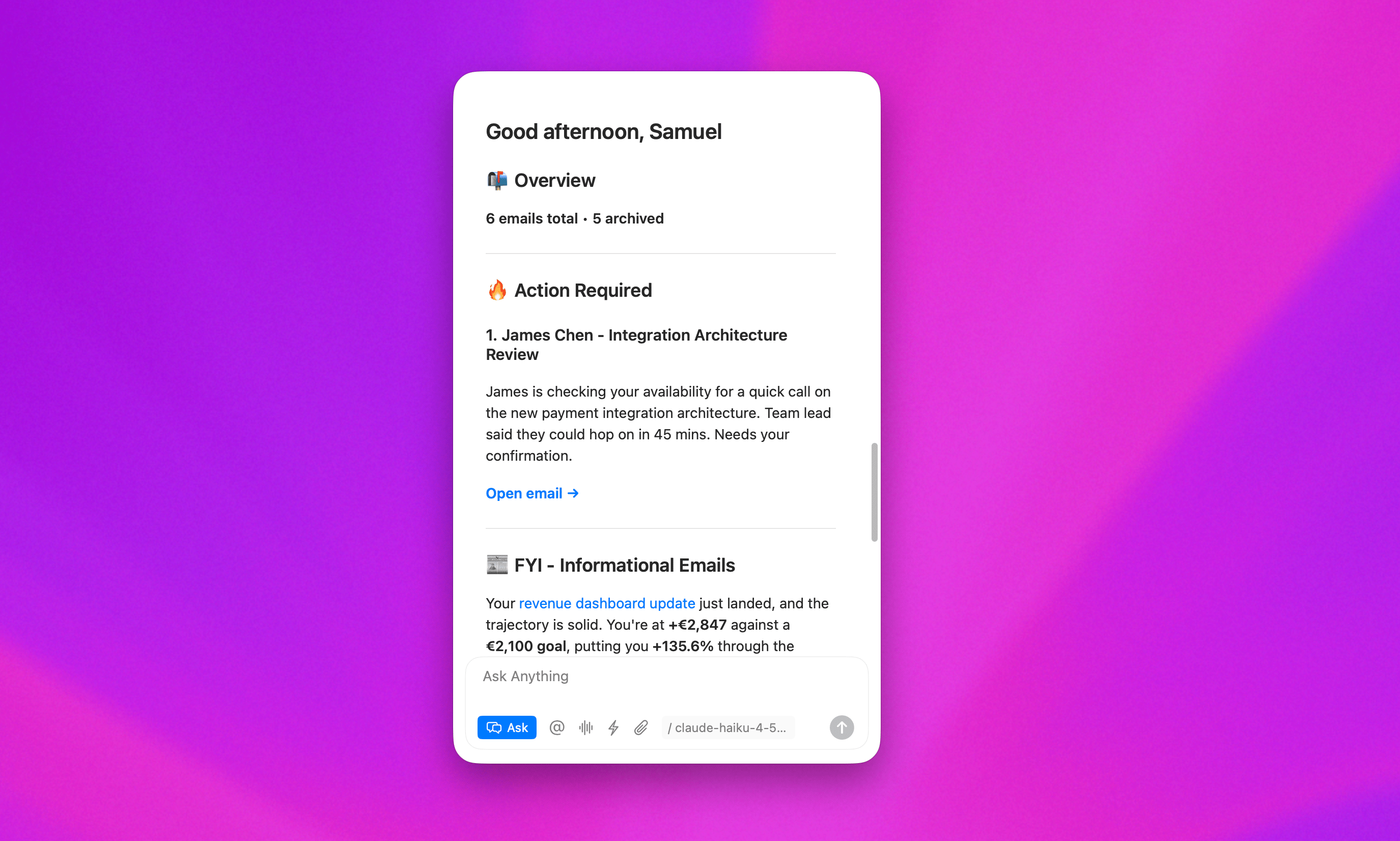
A newer floating window. And it changes how Alter fits into your day.
Meet the New Alter Window
This is not just a design change. It is a different way to work with Alter.
Here is what it can do:
All your chats in one place
One floating window holds every conversation you have open. Switch between them instantly. It feels like tabs — but cleaner. No tabs needed.
The Switcher
Press one key. Everything surfaces at once — your actions, transcripts, commands, and history.
Behaves like a real macOS window
Move it, resize it, put it wherever you want. Or flip it to always-on-top mode and it stays visible no matter what app you switch to.
Attach it to any app
Snap the window to the left or right of your browser, your editor, anything. Alter lives next to your work — not hiding behind it.
And this is the part we are most excited about.
When computer use activates — when Alter is actually doing something on your screen — the window attaches itself. Automatically. You can see exactly what is happening, and take back control at any moment.
You Asked. We Built It.
A lot of you have been asking for this one specifically.
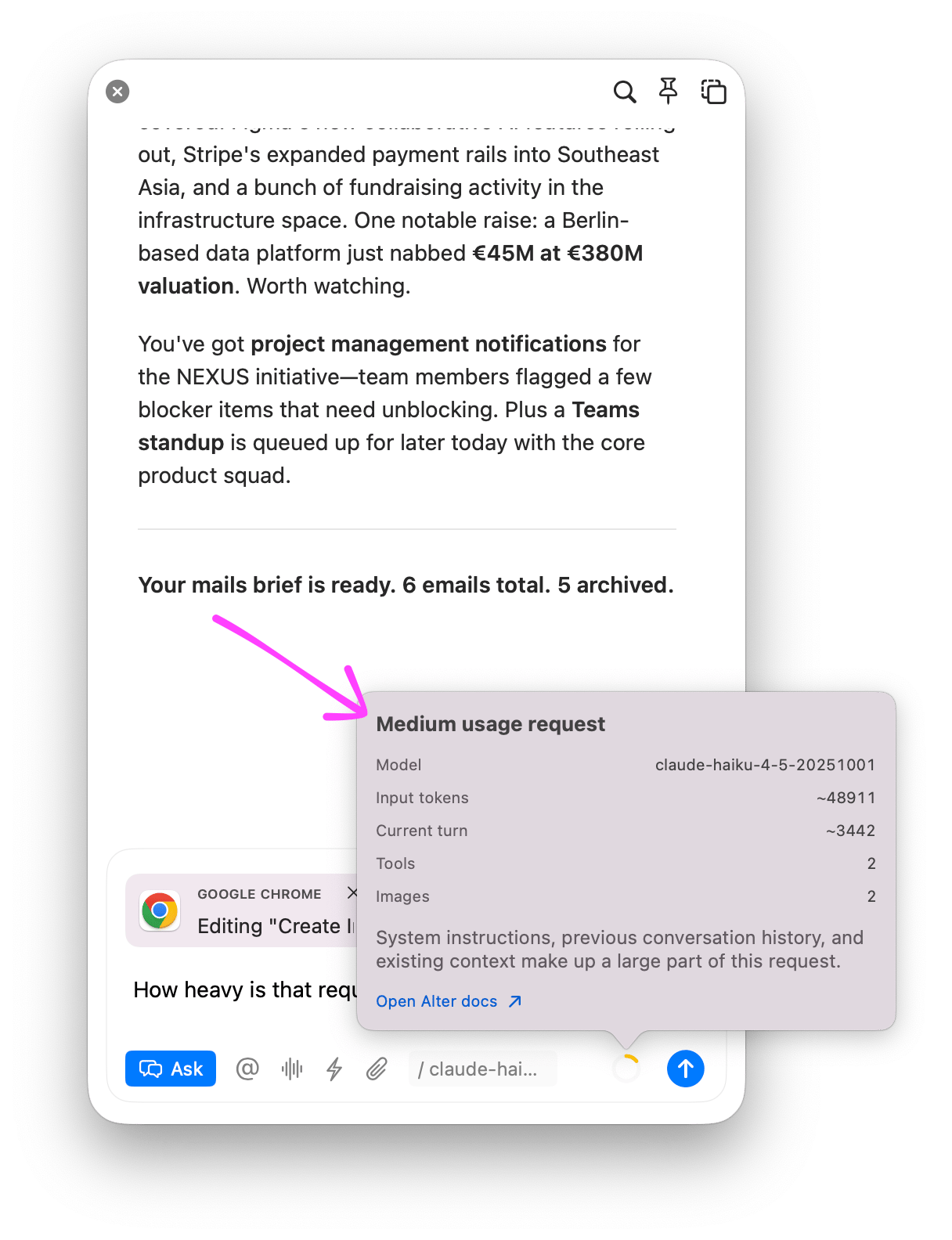
There is now a cost estimator built into the window. Before you send a message, you can see how heavy your query will be and how it impacts your fair use limit.
No more surprises. Total control. You asked, so we built it.
What About the Notch?
It is not going anywhere. Not yet.
This is a preview. You can try the new window today, or keep the notch — completely your choice. We want you to have time to explore, compare, and decide what works best for you.
But we believe this is the right direction. And we think once you try it, you will feel it too.
How to Try It
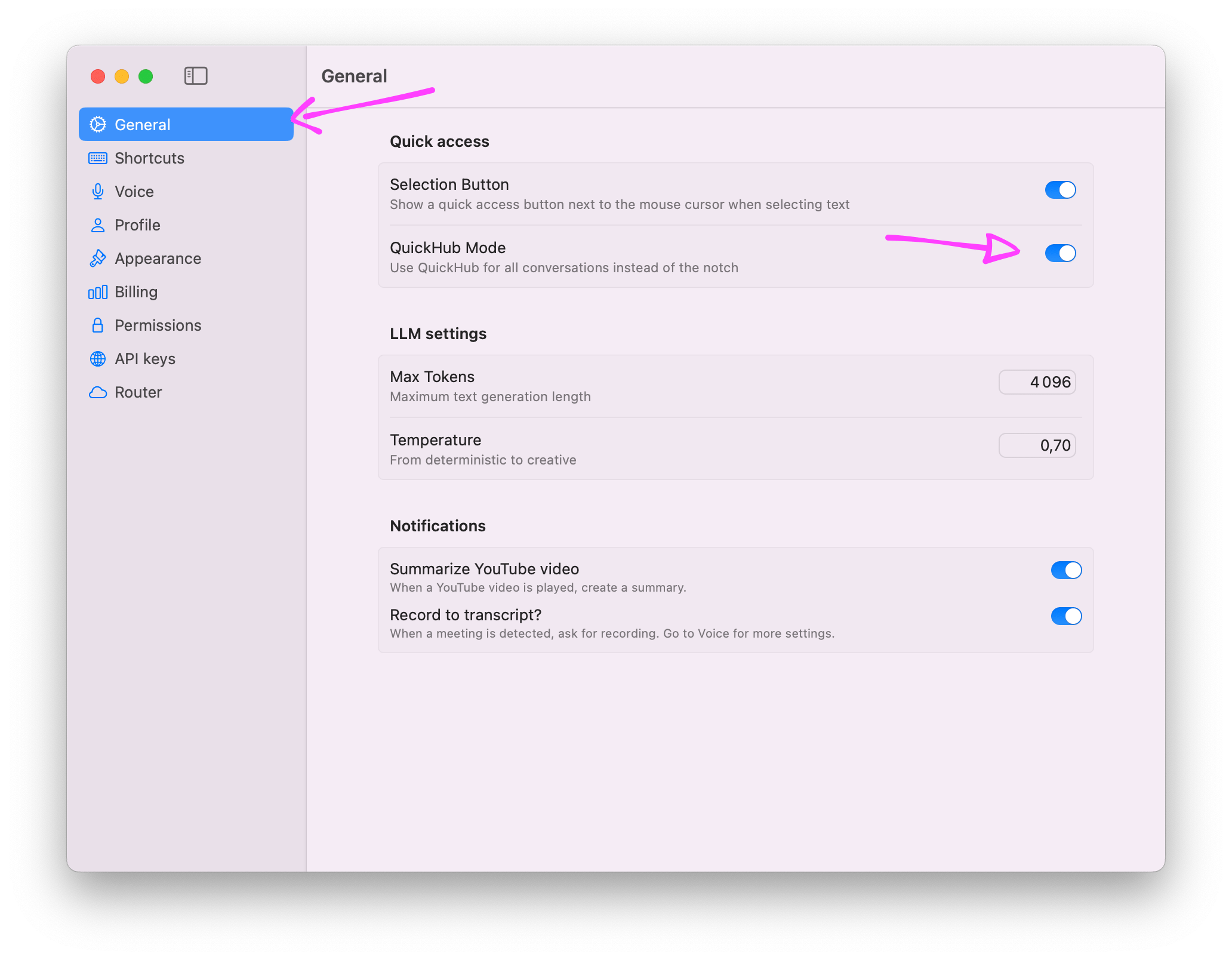
Open the Settings and enable the QuickHub Mode
We’re very excited by this release, please share your experience on Discord!
Olivier & Samuel
Full Changelog
New Features & Enhancements
QuickHub Preview: Added the new floating QuickHub window as a preview of where Alter is going, bringing chats, transcripts, and quick actions into one movable interface.
Switcher & Command Palette: Added a faster switcher with
cmd+k, prefix support, sections for quick actions, and better ways to jump between conversations, transcripts, and commands.Smarter Window Attachment: QuickHub can now attach to the left or right side of a target window, match window height, auto-attach during computer use, and support text selection workflows.
Hub, Menus & Notifications: Added a new menu for recent chats and transcripts, better notifications outside the notch, and progress feedback on notification action buttons.
Settings & Usage Visibility: Added a modern Settings UI, shortcuts settings, and a cost estimate indicator so it is easier to understand how much context you are sending.
Bug Fixes & Stability
Notch Transition & Windowing: Improved reopen behavior, reduced notch layout issues across screen changes.
Chat, Hub & Conversation Fixes: Fixed deadlocks, overlay presentation, focus issues, transcript handling, and reduced unnecessary editor refreshes.
Audio, Recording & Session Stability: Improved microphone state handling, recording reliability, speaker diarization loading, session recovery, missed schedule handling, and clearer "no session" alerts.
Workspace, Flow & Skills Fixes: Improved workspace ID handling for ephemeral and flow tool use, reduced skill loading issues, and made generated files surface correctly in ephemeral workspaces.
Copy, Diff & Rendering Fixes: Restored the diff switch button, fixed diff copy behavior and source persistence, and improved markdown copy output for rich text.