Manage Alter in Claude App and Claude Code
Alter is now available via Claude and Claude Code

Hey everyone,
This week, Alter is coming to Claude and Claude Code.
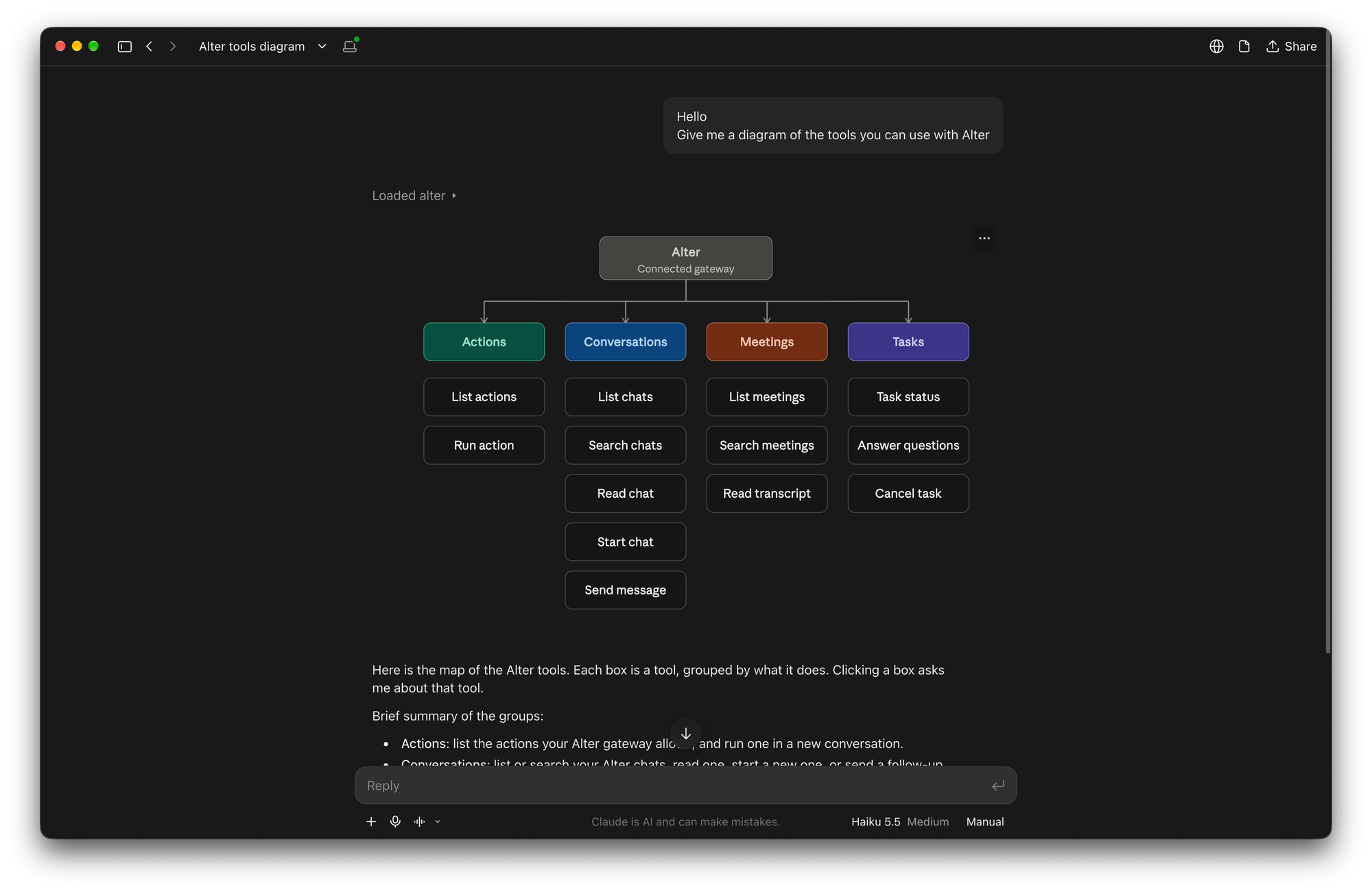
You can now ask Claude to find a meeting in Alter, read its transcript, run one of your saved Actions, or pick up an Alter conversation. Alter runs the tools on your Mac and brings the results back into Claude.
How it works
- Turn on MCP Gateway in Alter and choose which capabilities ChatGPT can access.
- In Alter, choose Download Zip for Claude chat or install for Claude Code …
- In Claude, install Alter from Settings → Customise → Plugins → Upload plugins , then ask for what you need.
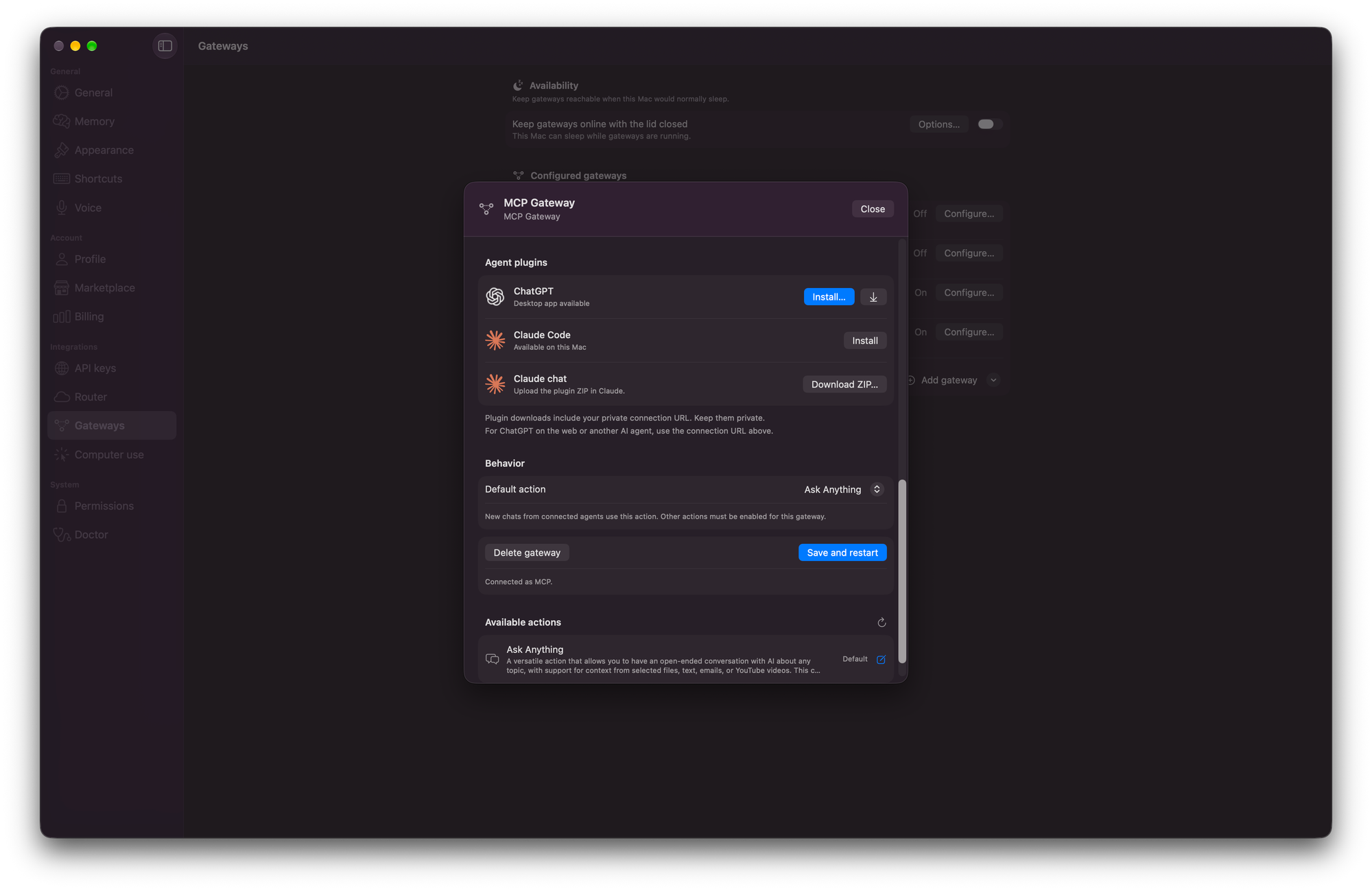
For example: “List my recent meetings in Alter” or “Find the meeting where we discussed our product launch.”
What you can do
- Find and read meetings: list recent meetings, search by topic, and read transcripts.
- Run saved Actions: discover and run the Actions you’ve enabled for the gateway.
- Continue a conversation: find permitted Alter conversations and pick up where you left off, or start a new one.
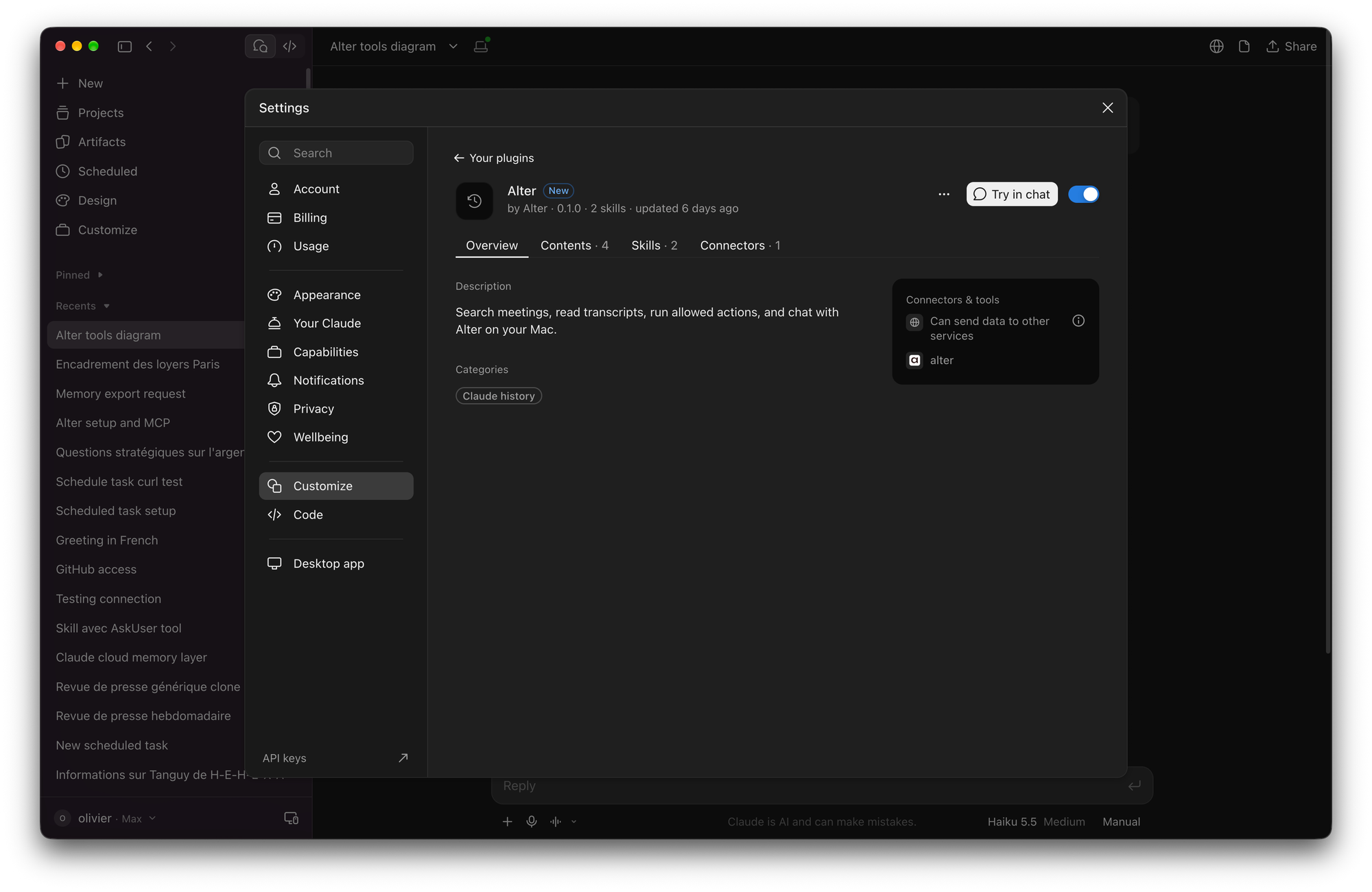
Your meetings, Actions, and conversations stay in Alter. Claude gives you another way to work with them.
Feeling adventurous? Connect to Grok Bot, Muse, Dots...
Having the Alter MCP gateway turned on means any MCP-compatible agent can actually use your Alter on your Mac.
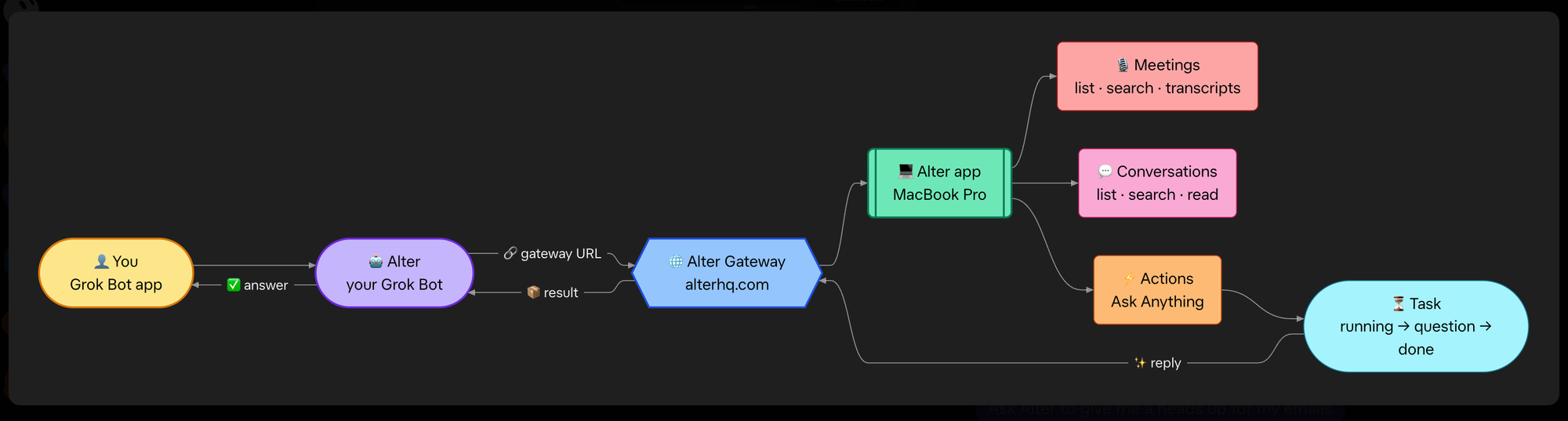
Therefore, you can now start using Alter as your agentic layer, allowing your agents to leverage everything Alter can do (actions, computer use, etc.) on your machine if needed, or simply outsource some of their work to Alter.
Cheers,
Sam & Olivier
Full Changelog
New Features & Enhancements
- Claude integrations: Add Claude plugins for Claude Chat and Claude Code.
- Meeting transcription: Speaker names name editing improvements, manage voiceprints in Voice settings, and restart speaker identification when calendar events change.
Bug Fixes & Stability
- MCP gateway: Fix stalled turns.
- Speaker identification and audio: Limit speaker identification to meeting participants, fix echo when using SoundSource, fix voice distortions, and fix a source of voiceprint pollution.
- Conversations and Computer Use: Message edits are saved reliably, and Computer Use handles popup buttons better and follows your tool settings.