Citations: Get the exact quotes from a meeting report
It has never been so easy to double-check a claim from your transcripts.
Hey everyone,
This week, we’re making it easier to work with meeting recordings in Alter.
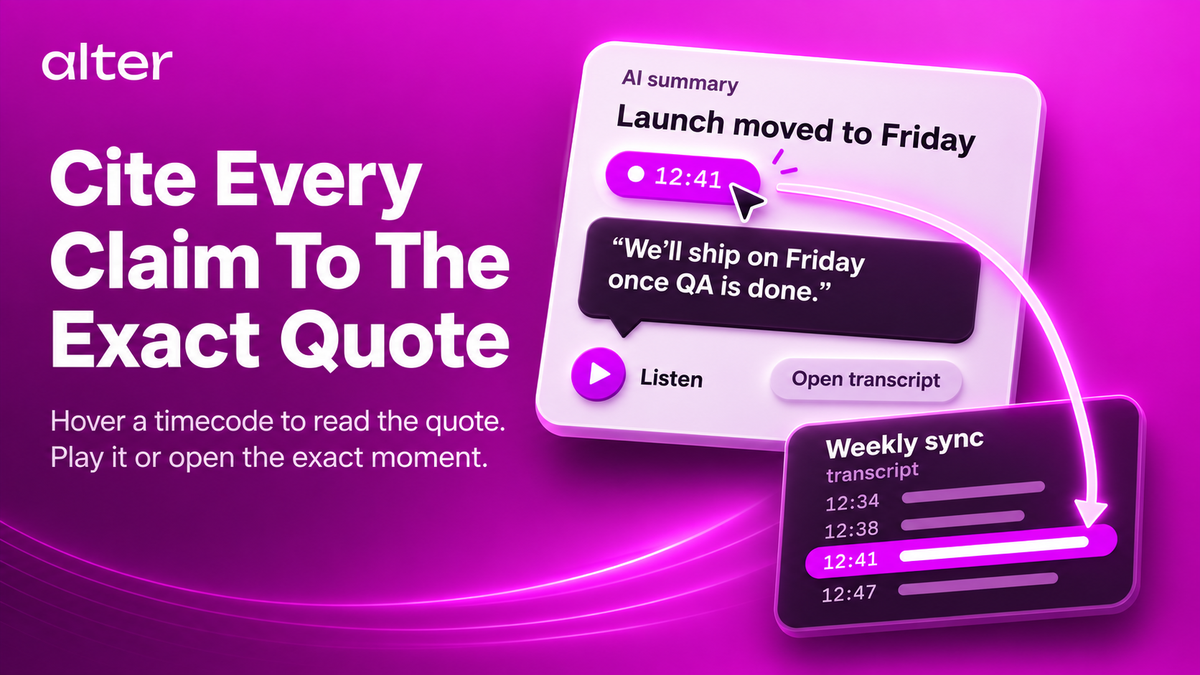
You can now add transcripts to a conversation’s context and see citations linked to the exact moments in a recording.
🎶 Cristalli Liquidi - Volevi Una Hit 🎶
Add transcripts to context
In the Hub, right-click on a transcript and choose Add to Chat. You can add multiple transcripts to the same conversation, so Alter can draw on them as you work.
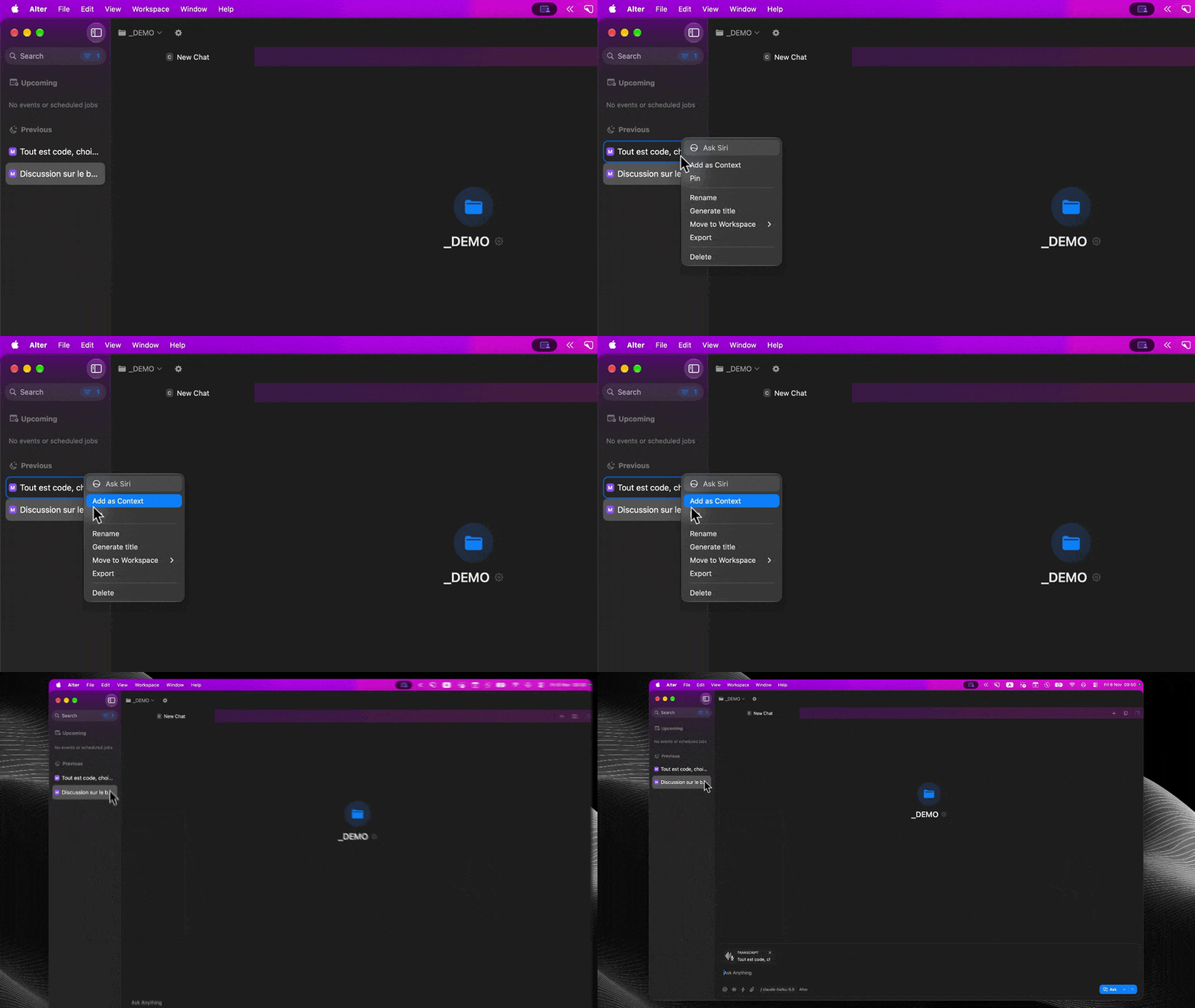
Explore citations
When you generate a meeting report or interact with a recording, claims can include timestamps. Hover over a timestamp to see the quoted passage, listen to it, or open the transcript at that exact moment.
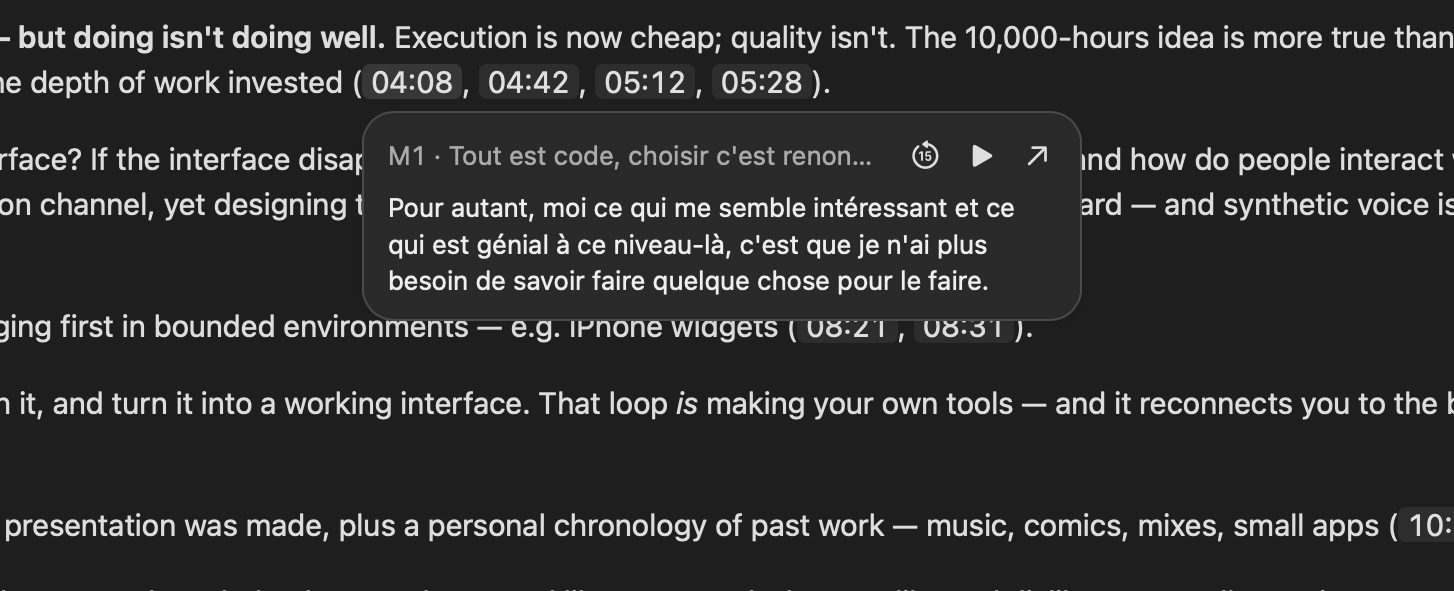
Your recordings are easier to explore, and the details behind a claim are just a click away.
Cheers,
Sam & Olivier
Full Changelog
New Features & Enhancements
- Meeting citations: Meeting reports and chats with attached transcripts can now include timestamp citations. Hover over a citation to see the quoted passage and speaker, play the excerpt, or jump to that moment in the transcript.
- Transcripts and chats as context: In the Hub, right-click a transcript or chat and choose Add to Chat or Add to New Chat. Attach multiple items to the same conversation. Citations keep track of which recording each quote comes from.
- Tools and Skills: Enable or disable multiple tools and Skills together, and choose whether Alter asks for confirmation when activating them.
Bug Fixes & Stability
- Speaker identification: Review conflicting speaker matches and reduce incorrect automatic speaker names.
- Transcription: Regenerating a transcript waits for the speech model to be ready, preserves progress and sidebar selection, and reports failures more reliably.
- Recording recovery: Remove recovery files after a recording has been fully processed so completed meetings do not return as pending recoveries.
- Hub: Sidebar filters apply across the full history, and deleting an item preserves a newer selection made while deletion is in progress.
- Gateways: Preserve gateway configurations across Alter version changes.
- Computer Use: Improve verification of background operations.
- Scheduled Actions: After missed runs, recover only the latest missed occurrence instead of running every missed occurrence.