Sort a hundred emails in seconds
Alter can now read, sort and act on hundreds of items across your tools, and finds the right tool in under a second.

Hey everyone,
This week, Alter learned to work through hundreds of items at once.
Until now, everything Alter read from one of your apps had to pass through the conversation, so it could only look at a handful of items at a time.
A full rebuilt of Flow, our tool orchestrator
We rebuilt Flow, the part of Alter that works with your tools, so that it writes a small program instead. The program does the reading, sorting and counting, and only the answer comes back.
That means Alter can go through your whole inbox, not the last 15 emails.
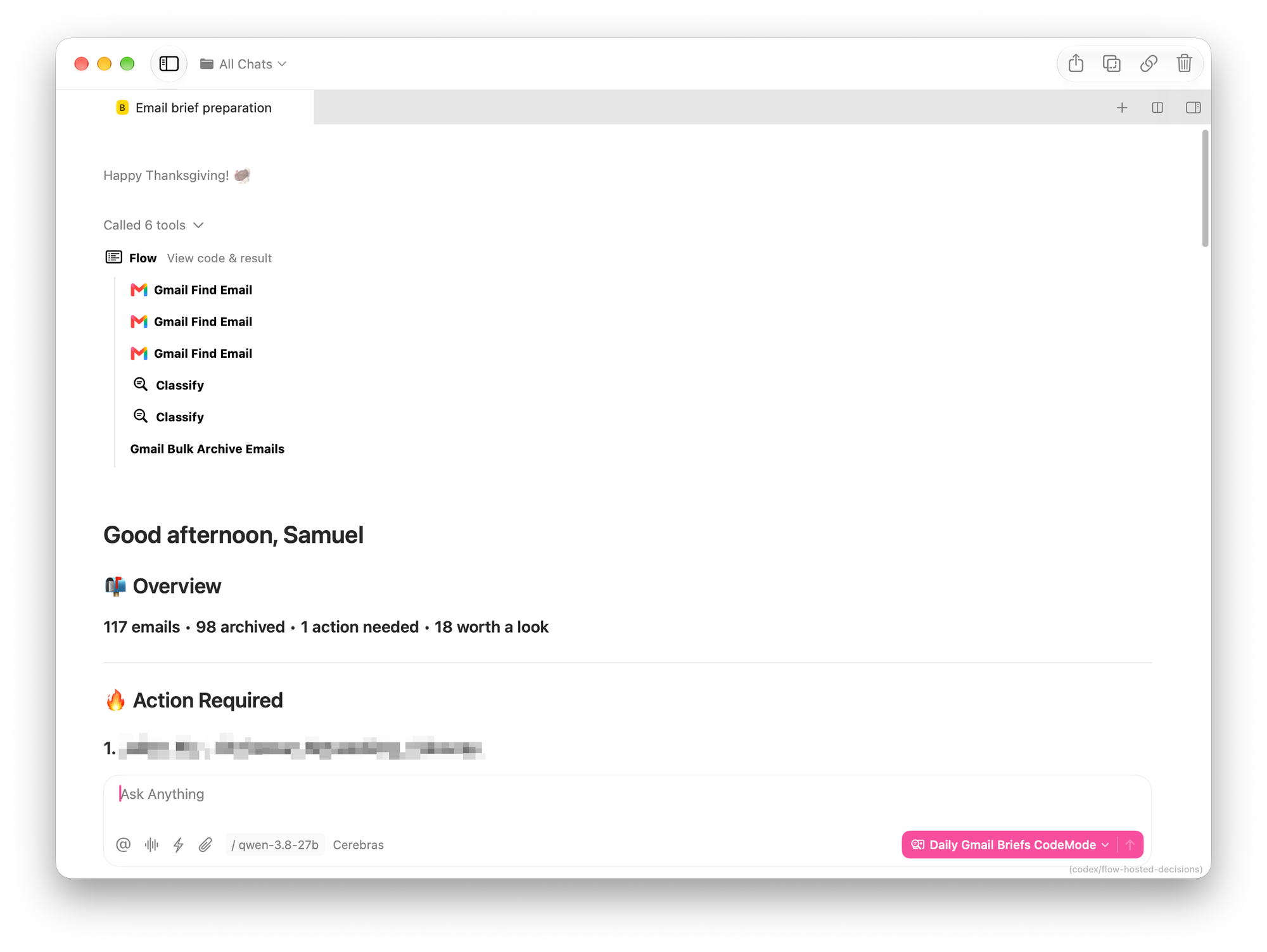
Go through my unread emails from the last two days. Tell me which ones need a reply from me and which are just updates, then give me a short brief.
Look at my calendar for the next two weeks and list the meetings that have no agenda in their description.
Sort things without reading them one by one
Inside a program, Flow can now sort texts into categories, answer yes-or-no questions about them, and pull out specific values, a hundred at a time. It takes a few seconds, and none of those texts end up in your conversation.
Take today's support emails. Group them by team (billing, technical, account access) and by urgency, and show me the urgent ones first.
Sorting is available with the models Alter provides. With your own endpoint, Flow still works and your model does the judging itself.
The right tool, in under a second
When you have many apps connected, Alter first has to work out which tools a request needs. That search is now much lighter: it uses about 94% fewer tokens (around 5,000 instead of an estimated 94,000 with 262 tools enabled) and answers in under a second.
Build your own in the Action Editor
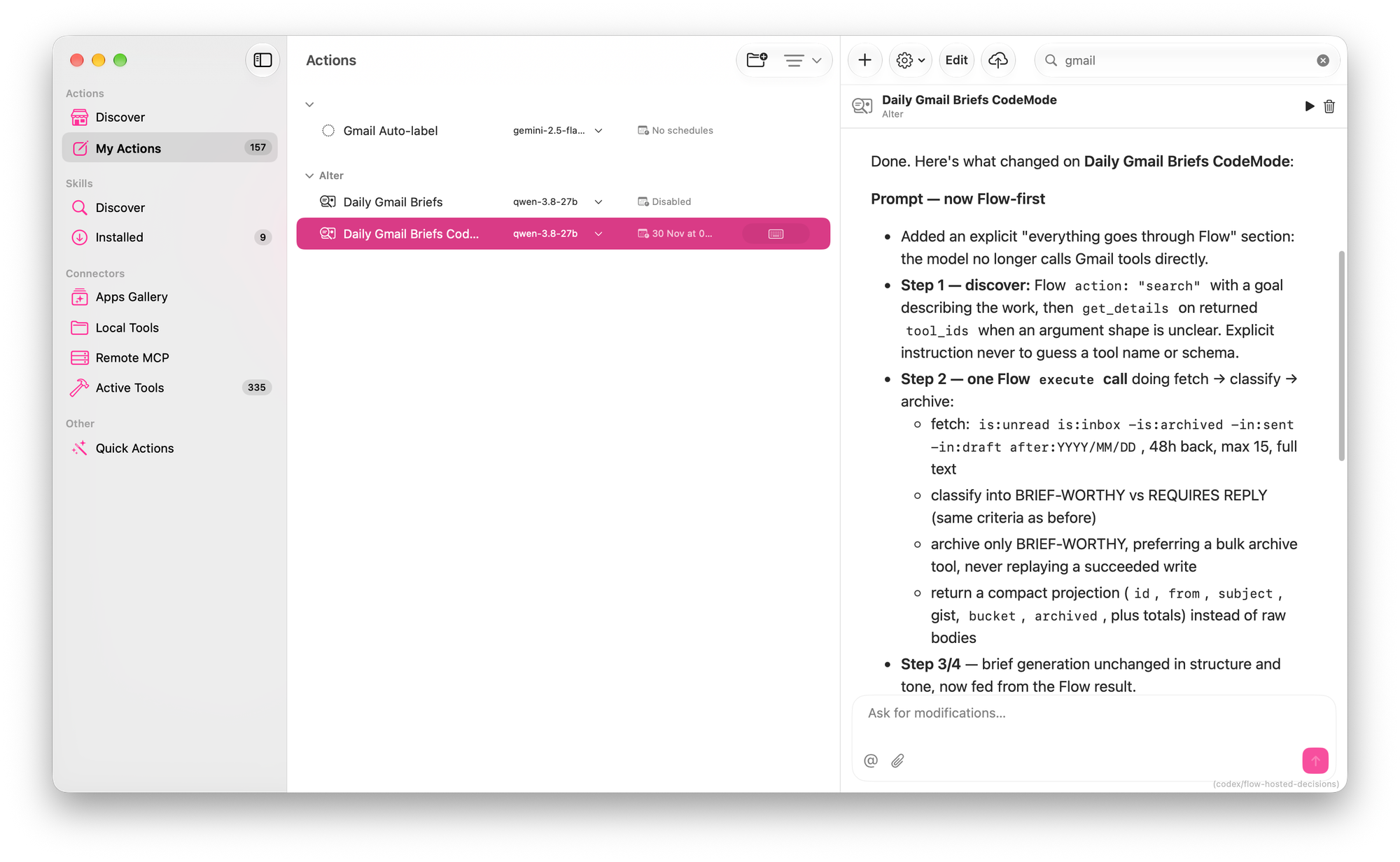
The Action Editor knows the new Flow too. Describe what you want and it sets up the action, its tools and its program.
Create an action that runs every weekday morning, reads my unread emails from the last 48 hours, sorts what needs a reply from what is only information, and writes me a brief.
To try these, connect the apps you want to use in Tools Manager, then ask in the action editor.
See you next week
Cheers,
Sam & Olivier
Full Changelog
New Features & Enhancements
- Flow programs. Flow now runs one program across your tools: it reads every page, filters, counts and combines results, then returns only what the answer needs. The items stay out of the conversation, so an action can cover everything instead of a sample.
- Sorting and reading in code. Inside a program, Flow can sort texts into categories, answer yes-or-no questions about them, and pull out specific values, up to 100 texts at a time. Available with the models Alter provides, not with custom endpoints.
- Faster tool search. Flow finds the tools a request needs in under a second and uses about 94% fewer tokens to do it: around 5,000 instead of an estimated 94,000 with 262 tools enabled.
- Flow in the Action Editor. Ask the editor for an action that reads many items, chains several tools, or sorts and judges results. It sets the action up with Flow and writes its program, using a built-in guide with worked examples.
- Hub tabs. Close the other tabs of the pane you clicked, and pin or unpin a conversation from its tab menu.
Bug Fixes & Stability
- Attachments. When an attachment cannot be prepared, the error now names what failed (a web page, a transcript, a YouTube video or an app window) and what to do next.
- Conversation scrolling. Keep your place when a conversation's history loads, and keep the animation of a new message when you send.
- Tool calls. A tool call whose outcome is uncertain now shows as failed, instead of carrying an "Outcome unknown" label.
- Follow-up replies. Keep tool results available in follow-up messages with ChatGPT models, and recover when a model returns an empty reply.
- Meetings in other apps. Meeting tools shared with MCP clients now tell them not to cache the catalog.